Bring your own practice See what actually helps
A private, encrypted journal for the meditation you already do. Log a session, write a line, and Insights shows what's working, and how sure it is.
14 days of the full plan, no card. Then a free plan that stays · No ads · Encrypted
What 92 sessions showed
- Your deepest sessions run past 20 minutes
- Mornings go better than evenings
- Breath practice suits you more than body scan
Other meditation apps give you sessions to follow. Solvance shows what your sessions are doing.
There's no guided library. It's a journal for the practice you already have, whatever the teacher, app or tradition.
Calm screens, honest patterns
Click through the app on a computer or a phone, or let it show you around. This is a demo account's practice history.

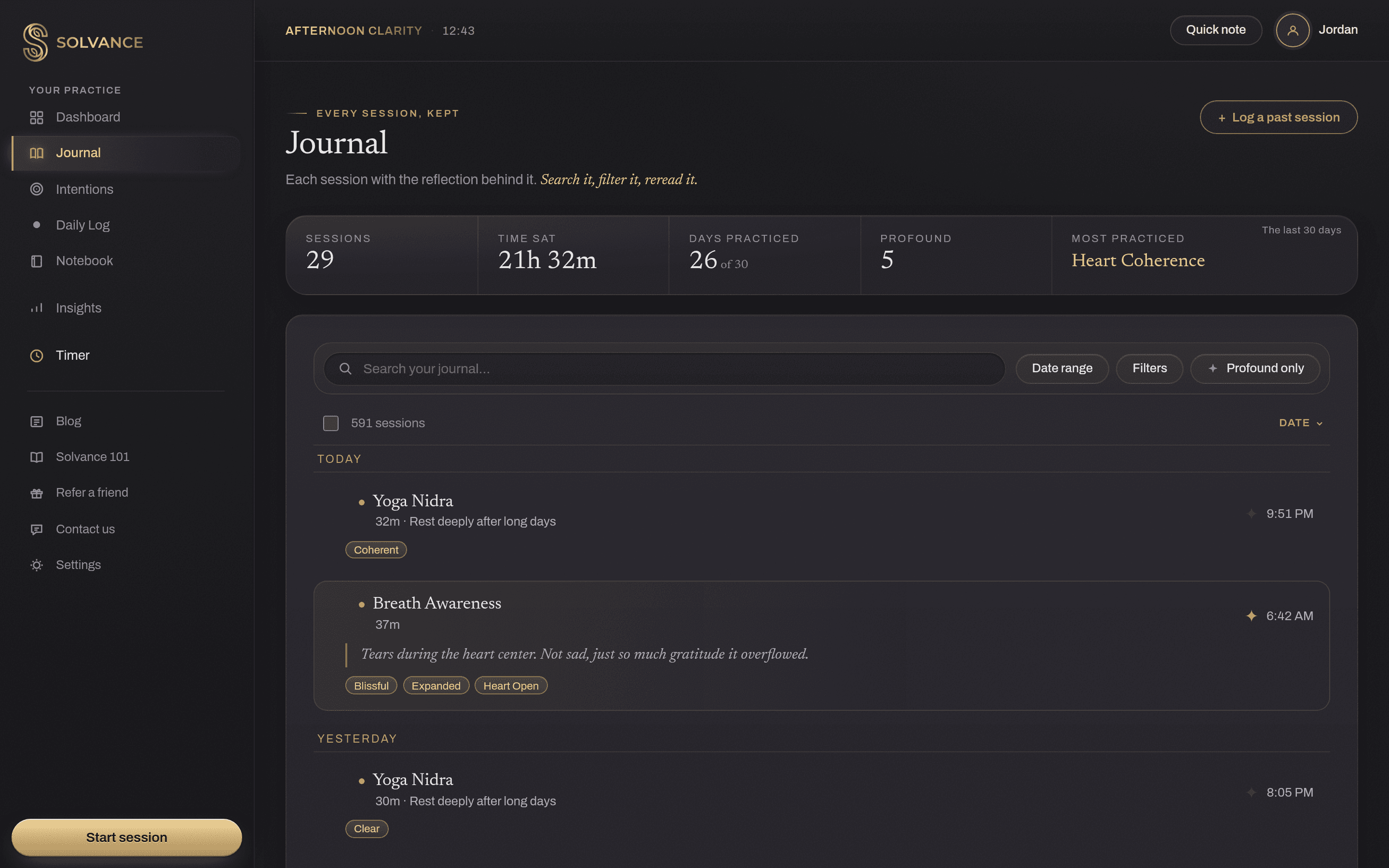
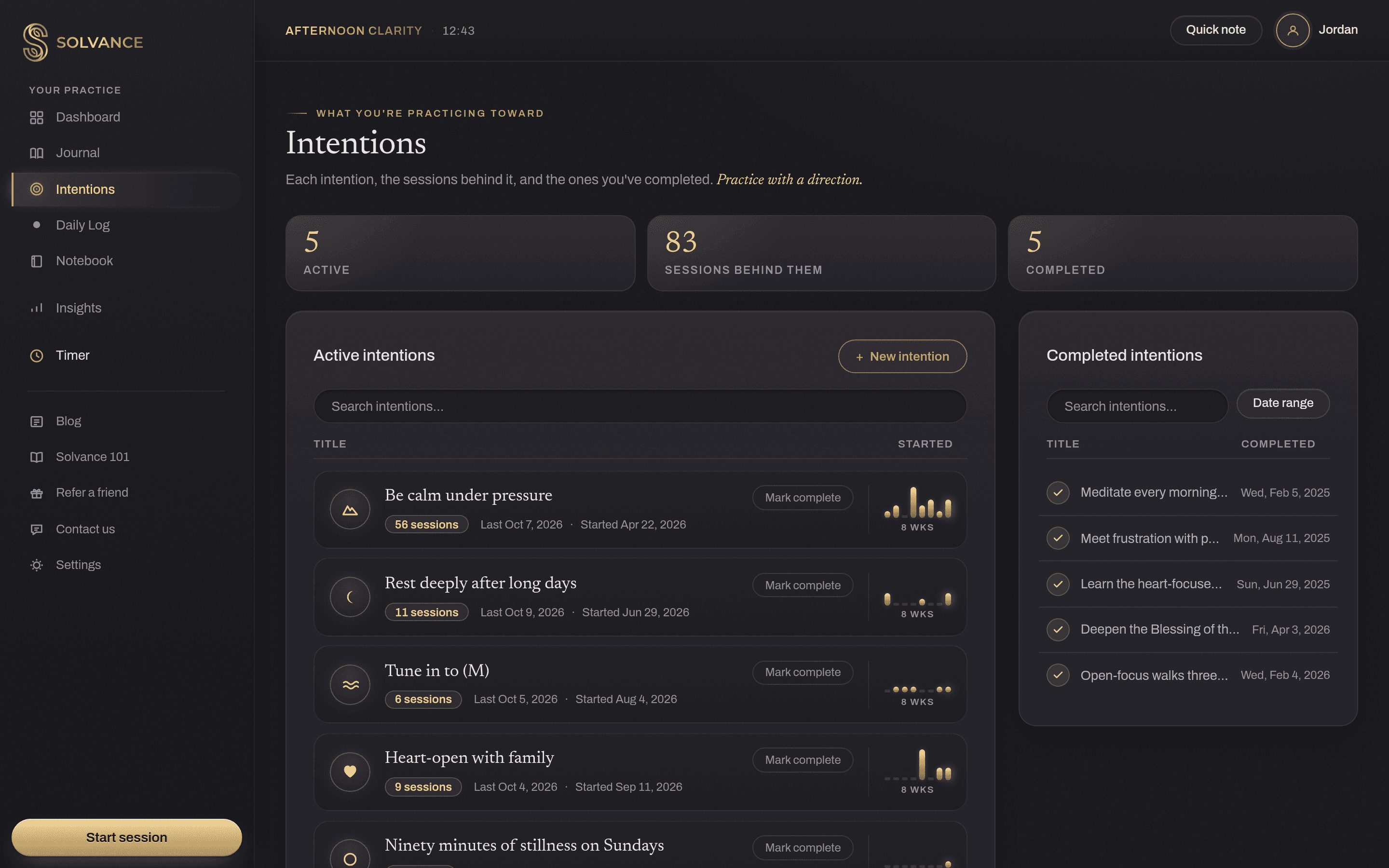


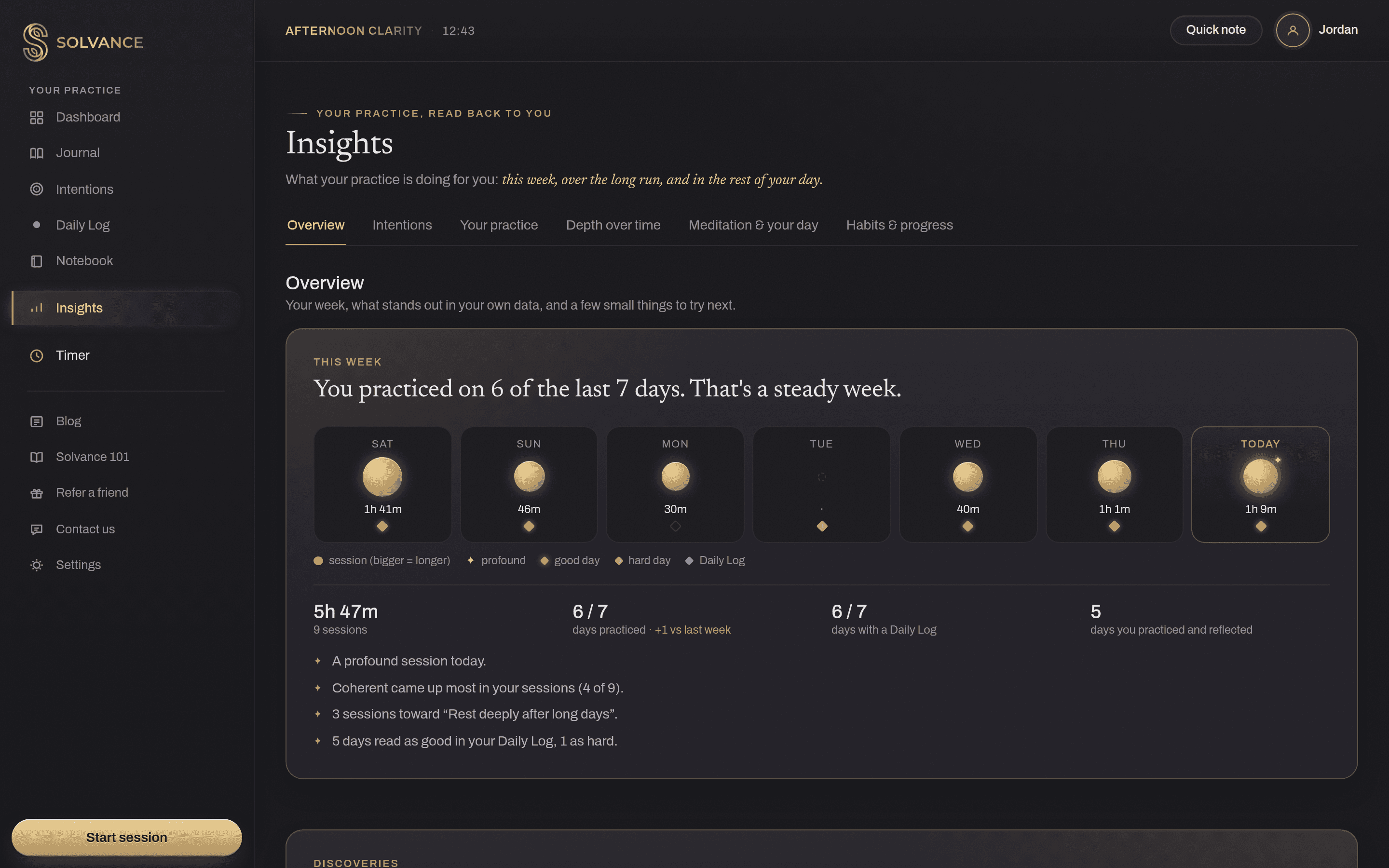
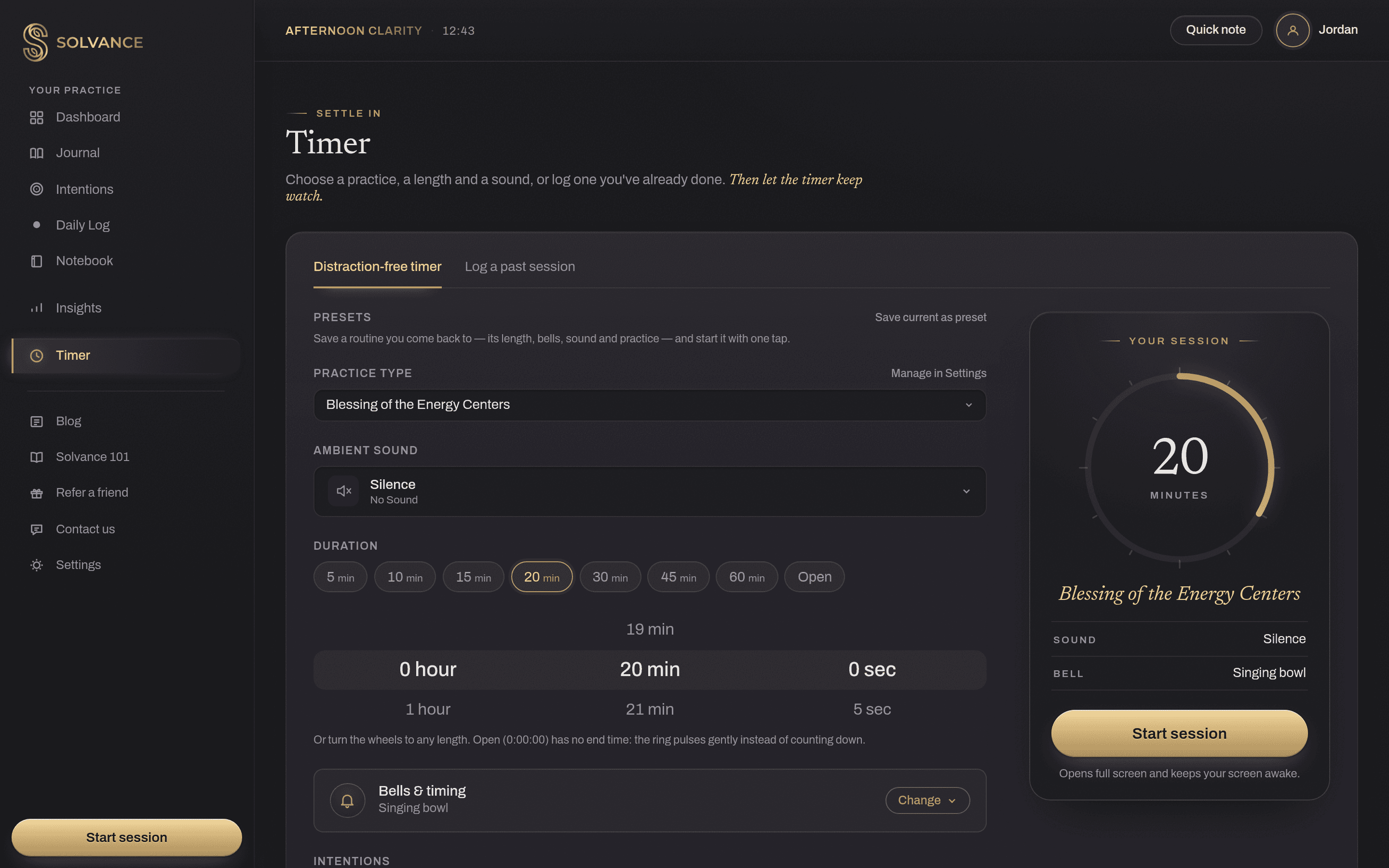
DashboardToday's practice, your streak, recent sessions and active intentions, at a glance.
Time it. Write a line. See the pattern.
That's the whole loop. A session takes minutes, the line takes seconds, and the pattern builds as you go.
- Timer
Time it
Time a session with the quiet timer, or log one you did with another app, a class or a teacher.
- Journal
Write a line
Write a few words afterwards in your own language, tag how it felt, and mark the sessions that mattered.
- Insights
See the pattern
Which practices, times and lengths go well for you, and how days with a session differ, each with how sure it is.
Then meditate again. Every round adds to the picture.
Intentions, a Daily Log and a Notebook
Set what you're working toward, add a short evening check-in so Insights can connect your practice to your day, and keep teachings and retreat notes beside it all.
Most sessions won't feel like much. The point is to see, over time, which ones changed something.
Free to start, upgrade when you're ready
The Free plan covers the essentials. Advance unlocks unlimited everything and all of Insights.
Free
$0
The essentials, with a few limits.
Practice
- Included: Timer, Journal, Daily Log, Notebook
- Included: Intentions, streaks, heatmap & milestones
Insights
- Included: This week, Habits & progress, and one finding a month
- Not included: When you meditate best, which practices work, depth over time, meditation & your day
Your setup
- Included: 5 tags per list (3 activities)
- Included: 3 Daily Log sliders
- Included: 2 templates per list
- Included: 2 active intentions
Your data
- Included: Export everything, any time
Advance
$5/mo
billed $59.99 / year
Half the monthly price. Plus tax where it applies.
Free for your first 14 days, no credit card needed. Then Free for good, unless you upgrade.
Everything in Free, with no limits.
Practice
- Included: Timer, Journal, Daily Log, Notebook
- Included: Intentions, streaks, heatmap & milestones
Insights
- Included: All six Insights tabs
- Included: When you meditate best, which practices work, depth over time, meditation & your day
Your setup
- Included: Unlimited tags
- Included: Unlimited Daily Log sliders
- Included: Unlimited templates
- Included: Unlimited active intentions
Your data
- Included: Export everything, any time
Stories and science from the quiet side of the mind
How much meditation is enough? What the trials actually used
The eight-week programs behind most of the research asked for a lot of practice. Here's what people actually did and what it means for your own session.
Write it down to wake it up: meditation and journaling
Meditation shows you your mind. Writing lets you study it. Together they build metacognition, the skill of knowing what your mind is doing.
How to track your meditation (and what to skip)
A meditation tracker should help you notice what works, not grade you. Here is what is worth recording after a session, and what you can safely leave out.
How is Solvance different from other meditation apps?
Most meditation apps give you meditations to follow. Solvance doesn't: there's no guided library. It's a journal for the practice you already have, whatever the teacher, app or tradition. You log each session, reflect on it, link it to what you're working toward, and over time Insights shows which practices actually help you.
Do I need to meditate a certain way?
No. You name your own practice types, feelings and intentions, so Solvance speaks your language rather than a system's. Time a session with the built-in timer, or log one you did with another app, a class or a recording afterwards.
Is my writing private?
Yes. What you write (your session reflections, Daily Log notes, notes and intentions) is encrypted before it's saved. The details Insights uses to find your patterns, like session times, tags and slider scores, are private to your account, and no one else using Solvance can ever see them. We don't sell your data, show you ads, or use your writing to train AI. You can download everything, or delete your account, whenever you like.
How your writing is protectedWhat's free, and what does Advance add?
Free covers the Timer, Journal, Daily Log, Notebook and Intentions, with up to 5 practice types, feelings and Day tags, and 3 activities, 3 Daily Log sliders, 2 templates per list and 2 active intentions, plus the heatmap, streaks and milestones, and in Insights: this week, Habits & progress, and one finding a month. Advance removes those limits and opens every Insights tab, for $9.99 a month or $59.99 a year, plus tax where it applies. Every new account starts with 14 days of Advance, free, with no card needed.
Free and Advance: what's includedWhat if I miss a day, or log a session wrong?
Your streak survives it: one missed day in any seven is a rest day, not a reset. A session you forgot to log can be added afterwards with any date, any session can be changed or deleted, and a deleted one can be restored for 30 days. The heatmap keeps every day you did meditate.
Streaks, the heatmap and what countsCan I bring my history from another app?
Yes. In Settings → Data & Account, bring in sessions from Insight Timer's export or any spreadsheet, check-ins from Daylio, and journal entries from Day One or your Markdown and text notes. You see a preview before anything is saved, and importing the same file twice never adds anything twice.
Bringing history from another appIs there a phone app?
Solvance works in any phone's browser and adapts to small screens, and you can add it to your home screen to open it like an app. A dedicated phone app is on its way, using the same account.
Can I cancel any time?
Yes, from Settings → Subscription → Cancel subscription. Advance stays on until the end of the period you've paid for, then you're on Free. Nothing is deleted: tags, sliders and templates beyond the Free limits are paused until you upgrade again, and intentions you've already set stay active.
Cancel, or switch monthly and annualWhat happens to my data if I leave?
It's yours to take. Settings → Data & Account downloads everything as JSON, your sessions and Daily Logs as CSV, or your whole journal as Markdown, with your writing decrypted so it's readable. When you're done, Delete my account permanently deletes everything you wrote. A few records, like receipts and records of your consents, stay for a set time, as the Privacy policy explains.
Export your dataBring the practice you have. See where it leads.
Start free14 days of the full plan, no credit card.